
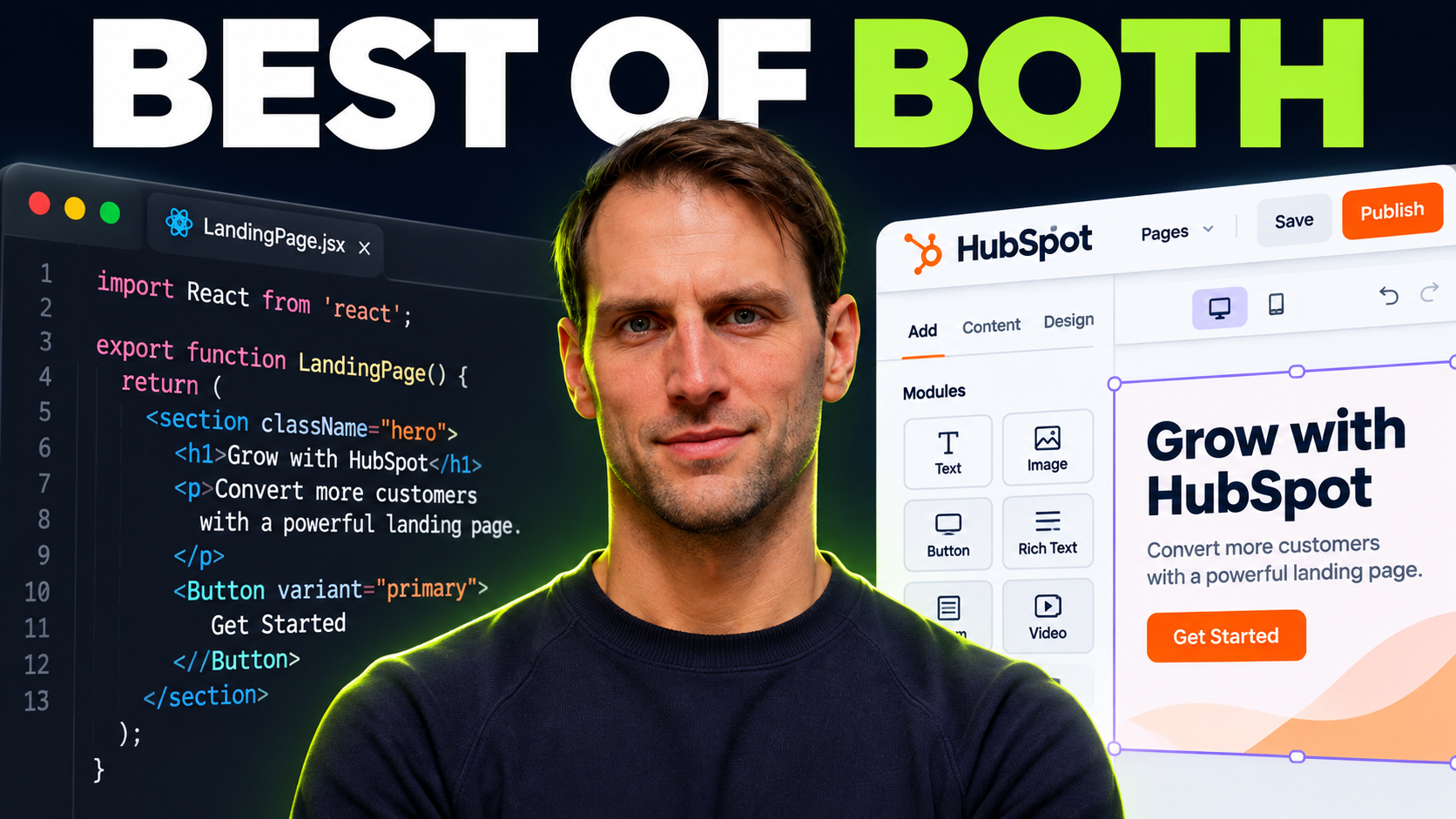
Our website had lived on the HubSpot CMS since 2015. Then I pulled it out, kept the rest of HubSpot, and built a custom site with Claude Code and Next.js.
It worked. The site went up fast, and I got more traffic than I'd had in years.
Six months later I moved back to HubSpot anyway.
Vibe coding means describing what you want in plain language and letting an AI tool, such as Claude Code or ChatGPT's Codex, write the code. If you're in a marketing team, or you're a founder paying for both an agency and a CMS licence, you've probably asked the question I asked: why pay for all this when AI can build the site?
Here's why I left, what I was missing on a custom site, and what changed my mind. Most of it applies whether your CMS is HubSpot, WordPress or something else. HubSpot is the one I can speak to.
The short answer
A vibe-coded website is quick to build and cheap to host, and it suits a small site run by the person who built it. I moved back to HubSpot because my custom site sat apart from my analytics, campaigns and CRM. With the HubSpot Developer MCP, you can now build with AI inside HubSpot and keep both.
Why did I leave the HubSpot CMS for a vibe-coded website?
Building a HubSpot theme with AI was slow and frustrating at the time. Building a custom site was easy.
About a year ago I was rebranding and relaunching my agency as Superwork. The new site would be much bigger than the old one, with many more service pages.
I was building the HubSpot theme in Cursor and Claude Code. You could connect them to HubSpot and get code out, but it was cumbersome, and I couldn't move at the pace I wanted. The result wasn't half bad. The process was the problem.
What the custom build looked like
So I built the site in Next.js instead:
- I spent about a week of the summer building a glossary, a long list of service pages, and database-driven pages such as location pages.
- I hosted the site on Vercel and kept the code in GitHub.
- I connected Claude Code, so I could describe a change and see it live shortly after.
- I embedded the HubSpot tracking code and HubSpot forms, so leads still reached the CRM.
I liked it for a simple reason: I don't enjoy making websites. Much of the time goes to work that isn't valuable but has to get done. Describing a change to Claude or Codex and watching the site update is a much better way to work.
What changed: the HubSpot Developer MCP
The HubSpot Developer MCP connects AI coding tools such as Claude Code and ChatGPT's Codex to HubSpot, so you can build themes, templates and modules in plain language.
I found out about it in the autumn and tried it on a client site, with their permission. Building a theme on the HubSpot CMS became a very different experience, and a much better one.
I think it's one of the best things HubSpot has launched in years.
You no longer have to choose
It used to be one or the other: the easy, natural-language way of building, or the benefits of a CMS. Now you can build with AI and keep:
- reporting and attribution
- the marketing tools
- hosting, security and the rest of the back end
- blog posts, landing pages and website pages in one editor
- forms that are easy to manage and tied to your CRM
I show the Developer MCP in a separate video: I Built a HubSpot Website Using Only AI.
Thinking about moving your own site? Watch how to migrate your website to HubSpot or book a call with Superwork to talk through what the move would involve.
A website is more than HTML, CSS and JavaScript
AI gives you the front of a website. A business website also needs everything behind it, and a custom build leaves that part to you.
LinkedIn and YouTube are full of content showing how easy it is to build a website with AI. In a way, it's right. It's very easy to make something that looks nice.
But I suspect most of the people making that content aren't part of a larger marketing team. They don't have:
- several users who need permissions, revisions and audit logs
- GDPR to comply with, consent to gather and subscription types to manage
- marketing campaigns to plan and run across channels
- a handover from marketing to sales, and from sales to onboarding and customer success
The scaffold versus the site
Give Claude your logo, brand and fonts, and you'll get a good-looking site. That's the scaffold.
Behind a proper website there's hosting, security, backups, permissions, cookie consent, redirects, forms connected to the CRM, lead routing and reporting.
The goal of your website isn't to look nice. It's to grow your business. You can have a vibe-coded brochure, or you can have a tool for growth.
That's the promise of a platform like HubSpot: sales, marketing, service and website tools in one place, with the security and infrastructure handled for you.
What analytics do you lose on a custom site?
You keep traffic numbers, but you lose the line from a page to the leads it produced.
I wasn't blind on the custom site. Vercel's analytics showed me which pages got the most traffic.
What I couldn't easily see was which blog posts and landing pages led to inbound leads. Traffic was in Vercel, and everything after the visit was in HubSpot.
AI search suffered too
Answer engine optimisation (AEO) is the work of getting your company cited in AI search, in tools like ChatGPT and Perplexity. If someone asks an AI assistant about HubSpot consulting or HubSpot onboarding, I want Superwork to be mentioned.
That work didn't run well with the website in Vercel and GitHub and every other marketing tool in HubSpot.
Why it matters in the reporting meeting
"We got this many page views" isn't enough. A marketing team has to tie traffic to lead numbers and growth, and that's hard when the website is disconnected from the rest of the tech stack.
Can you run lead generation on a vibe-coded website?
Yes. You can embed HubSpot forms, calls-to-action and meeting links on a custom site, and it works. Running whole campaigns across two systems is where it gets cumbersome.
To be fair to vibe coding: I embedded HubSpot forms and the tracking code, and leads landed in the CRM. The same is true on WordPress.
Campaigns have a lot of moving parts
- landing pages, blog articles and thank-you pages
- forms and a calendar link
- calls-to-action, where you want to see which ones get clicked
- workflows, segments and sequences
- ads and audiences
Take a simple funnel: a landing page, a form that redirects to a calendar, and a thank-you page. I could make it work across two systems, but it took more effort than it should, on top of managing GitHub and Vercel.
HubSpot is good at managing that complexity. A marketing team of three, five or ten people will work better together in one place than across Vercel, GitHub and HubSpot.
Back to the taped-together stack
It reminds me of how HubSpot used to be sold. The pitch was that taping together a separate website, CRM, SEO tool and email tool was a pain, and one platform was easier.
With vibe coding, a lot of teams are heading back to the taped-together stack.
Planning a campaign-heavy site? Book a call with Superwork and we'll look at how your pages, forms and campaigns would fit together in HubSpot.
Does a vibe-coded website work for a bigger marketing team?
Rarely. A custom site works when one person builds and runs it. It gets harder with every person you add.
I enjoy testing new technology and figuring out tools like GitHub and Vercel. I run a small consultancy, and for an organisation that simple, vibe coding can work well.
Most people aren't like me. The more I work with established companies, the clearer it gets: people want software that works the same way every time. They want to log in, do the work, and not play tech support.
The maintenance moves back to you
When you vibe-code your website, security, backups and all the things you don't think about are yours now.
Picture a larger marketing team with a CRM, a custom website on Vercel and the code in GitHub. That's a lot to manage, and the more people you add, the more chaos you usually get.
What a bigger team needs
- permissions, so the right people can change the right things
- drafts, revisions and approvals
- audit logs that show who changed what
- GDPR and consent handling
- one place to add and remove users when someone joins or leaves
That last one is a real risk. If a person leaves and access is spread across several tools, cleaning it up is on you.
AI-generated code needs a review
Veracode tested more than 100 AI models on 80 coding tasks and found security vulnerabilities in 45% of cases. On a custom site, the human who reviews that code is someone on your team.
Even if you're just starting a company, I'd still pick a CMS and use the Developer MCP to build on it.
Can you build calculators and assessments in HubSpot?
Yes. HubSpot now lets you build with React, so interactive tools such as calculators, quizzes and assessments can live on your HubSpot website.
This was what I liked most about the custom site. Interactive tools were very easy to make in Next.js, and I didn't want to lose that.
I don't want my lead generation to be only PDFs behind a form. I want tools that are useful in themselves and bring traffic to the site.
React changed what a HubSpot theme can do
Themes used to be built with HTML, CSS, JavaScript and HubL, HubSpot's own templating language. Now you can build modules with JavaScript and React alongside HubL.
When I moved back, I built the Superwork theme in React. The site is far more flexible, both in how it looks and in how interactive it can be.
I now have a RevOps maturity assessment and a quiz on which sales methodology to use, both on the HubSpot site, next to my forms, campaigns and reporting.
"We need custom code" is no longer a reason to leave the CMS.
Is a vibe-coded website cheaper than HubSpot?
Usually, yes. A custom site is cheaper to build and host. But HubSpot costs far less than it used to, so price is a weaker reason to go custom than it was.
The old pricing
You bought separate hubs: Marketing Hub, Sales Hub, Service Hub, Content Hub and so on. Having your website on HubSpot could easily cost €4,000 / $5,000 a year, often with an agency cost on top.
I think that was too expensive next to WordPress and other CMSs.
The new pricing
- You no longer buy hubs. You buy an edition: Starter, Professional or Enterprise.
- You pay per seat. A go-to-market (GTM) seat gives a user access to the features that used to sit in the separate hubs, the website tools included.
- A Professional seat is roughly €100 / $100 a month, so a small team might pay a few thousand euros a year.
- Heavy use of HubSpot's AI features and credits can add to that.
At the time of writing, the seat-based model applies to new customers in Europe, the Middle East and Africa. It hasn't been rolled out in the US, though I expect it will be. Check HubSpot's pricing page for your region before you budget.
I cover the model in detail in my video on HubSpot's new pricing.
The bottom line on cost
A custom site will probably be cheaper to make and host, and a small one can potentially be hosted for free. HubSpot will cost somewhat more, and potentially a lot more depending on how many users you have and how much AI you use.
But it's far more accessible than it was a year ago, and you can still build the site with Claude or Codex through the Developer MCP.
Vibe-coded website or HubSpot CMS: which should you choose?
Choose a vibe-coded website if one person builds and runs it and is comfortable with tools like GitHub and Vercel. Choose a CMS if a team has to run the site and marketing has to report on what it produces.
| Vibe-coded custom site | HubSpot with the Developer MCP | |
|---|---|---|
| Building with AI | Yes | Yes |
| Cost | Lower, hosting can be free | Higher, priced per seat |
| Editing | Whoever manages the code | Anyone on the team, in a visual editor |
| Analytics | Traffic only, in a separate tool | Traffic tied to leads and deals |
| Campaigns | Website pieces wired in by hand | Pages, forms, emails and ads in one place |
| Permissions, revisions, audit logs | You build or buy them | Included, depending on edition |
| Hosting, security, backups | Yours to manage | Handled by HubSpot |
| Interactive tools | Easy | Possible with React |
What I was missing
I've been on both sides, and vibe coding has real merit. If you're the only person building and managing the site, go ahead. It will probably be cheaper.
For me, I was missing out on more than I was gaining. On the custom site I didn't have:
- the analytics I needed
- a proper tie-in with my SEO and answer engine optimisation tools
- campaigns built in HubSpot's marketing tools
- forms that sat on the website and triggered workflows without extra wiring
Marketing, sales, customer service, operations and data were all in one place. The website was somewhere else. The two talked to each other, but only at a bare minimum.
My recommendation
If you're in a marketing team, especially a larger one, you want something that just works. You probably also want to build with Claude Code or Codex.
HubSpot now lets you do both. You get a stable platform, you're less dependent on a website agency and a rigid theme, and you can improve your website in natural language.
Build with AI, on a CMS. A vibe-coded website taught me how much the platform around the pages was doing.
Want help moving your site? Book a call with Superwork, or subscribe to the Superwork newsletter for more on running HubSpot as a revenue system.
Frequently asked questions
What is vibe coding?
Vibe coding is building software by describing what you want in plain language and letting an AI tool write the code. Common tools include Claude Code, ChatGPT's Codex and Cursor. You judge the result by how it looks and works, without writing the code yourself.
What is the HubSpot Developer MCP?
The HubSpot Developer MCP is a connection between AI coding tools and HubSpot's developer platform. With it, a tool such as Claude Code or ChatGPT's Codex can build and edit HubSpot themes, templates and modules from plain-language instructions.
Do HubSpot forms work on a website that isn't built in HubSpot?
Yes. You can embed HubSpot forms on an external site and submissions go into your HubSpot CRM. Install the HubSpot tracking code on the page, and add your site's domain in HubSpot's settings so submissions aren't marked as spam.
Is it hard to move a vibe-coded website back to a CMS?
In my case, no. Moving the Superwork site from Next.js back to HubSpot took a few late nights. The work is the same as any migration: decide what moves, map the URLs and redirects, rebuild the templates, and reconnect forms and tracking.
Does this only apply to HubSpot?
No. The argument for a CMS holds for WordPress and other platforms too: a team needs editing, permissions, hosting and security handled somewhere. HubSpot adds the CRM, marketing tools and reporting on the same platform, which is why I chose it.
Should a small company vibe-code its website?
It can work if one person builds and maintains the site and enjoys doing it. Even then, I'd pick a CMS and build on it with AI, so the site is ready when more people need to work in it.